
API Integration & Workflow Automation
Your tools should work together, not around each other.
Every extra manual step is time you don't get back — copying data between tools, re-entering the same information, checking whether something actually happened. If your systems don't talk to each other yet, I can help them start.
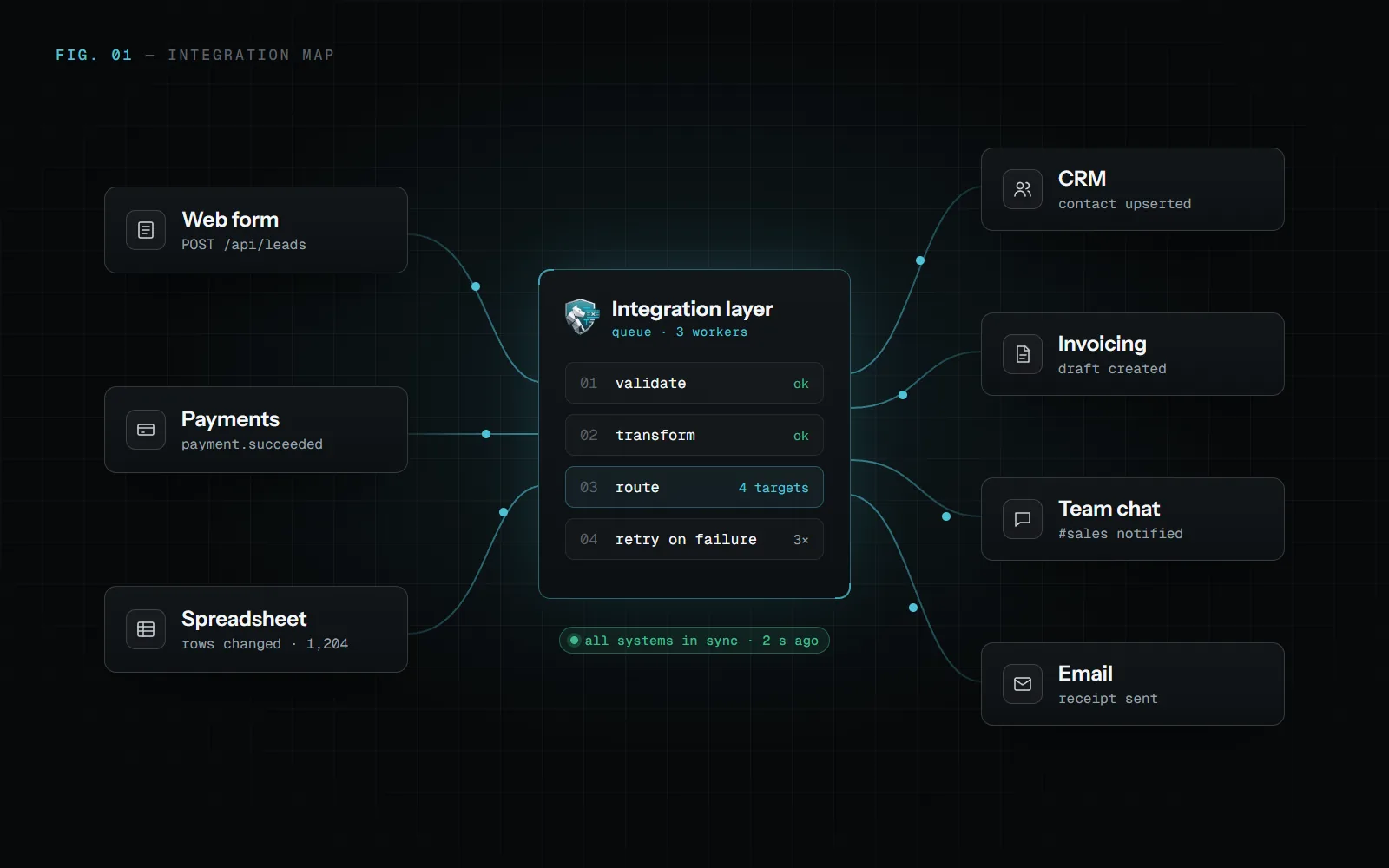
What this looks like
I connect the tools you already use — CRMs, spreadsheets, internal systems, third-party APIs — so information moves between them without anyone touching it by hand.
Sometimes that's a single automation that saves an hour a week. Sometimes it's a proper integration layer that ties your whole stack together. Either way, the goal is the same: less manual work, fewer mistakes, and systems that actually talk to each other.
What I can help with
What I can help with
Workflow Automation
Repeated steps such as copying data, sending the same emails or building the same report, done automatically.
Third-Party API Integrations
Your CRM, payments, invoicing, email or AI models connected through their APIs.
Data Syncing Between Tools
Changes made in one system show up in the others, without duplicates.
Custom Webhooks & Triggers
Events like a new order, a submitted form or a payment start the right actions immediately.
Internal Automation Scripts
Scheduled jobs and scripts for the tasks that don't need a full application.
The best integration
is the one you never think about again.
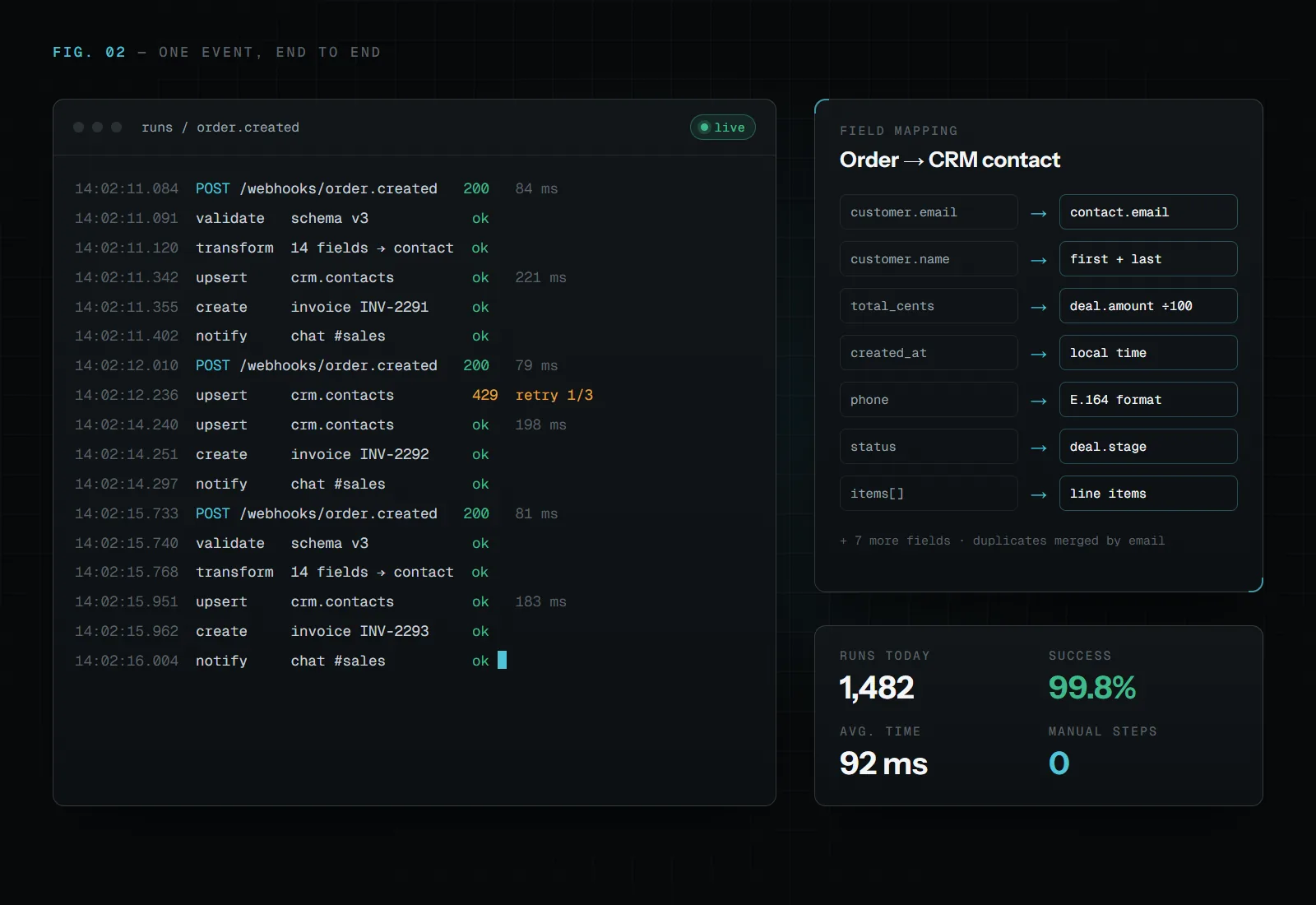
How I approach it
I don't automate a process I don't understand yet.
First, I map out how information actually moves today — which tools, which steps, where it breaks down.
Then I connect only what needs connecting, in a way that keeps working even as your tools change.
Questions
Asked before every project like this.
Which tools can you integrate?
Most tools with an API or webhooks: CRMs, payment providers, invoicing, email, spreadsheets, databases and AI models. If a tool has no API there are sometimes other routes, such as exports or scheduled imports, and I'll tell you plainly when something can't be done reliably.
Why not just use Zapier or Make?
For simple flows they're often the right choice, and I'll say so. A custom integration makes sense when the flow is business-critical, moves a lot of data, needs logic those tools can't express, or its monthly cost keeps growing.
What happens when an integration fails?
Integrations are built to retry failed steps and to log every run, so a problem shows up as an alert instead of as missing data discovered weeks later.
How much does an integration cost?
It depends on the problem and the scope. We agree on what's worth building and what it costs before any work starts, rather than fitting every project into a fixed package.

05 Start
Have a problem worth solving?
You don't need the solution figured out. Tell me what's taking too much time, what isn't working, or what you'd like to improve, and we'll find the right approach from there.
or write to stefan@guwapi.com