
Internal Tools & Business Systems
The tools your team uses every day should just work.
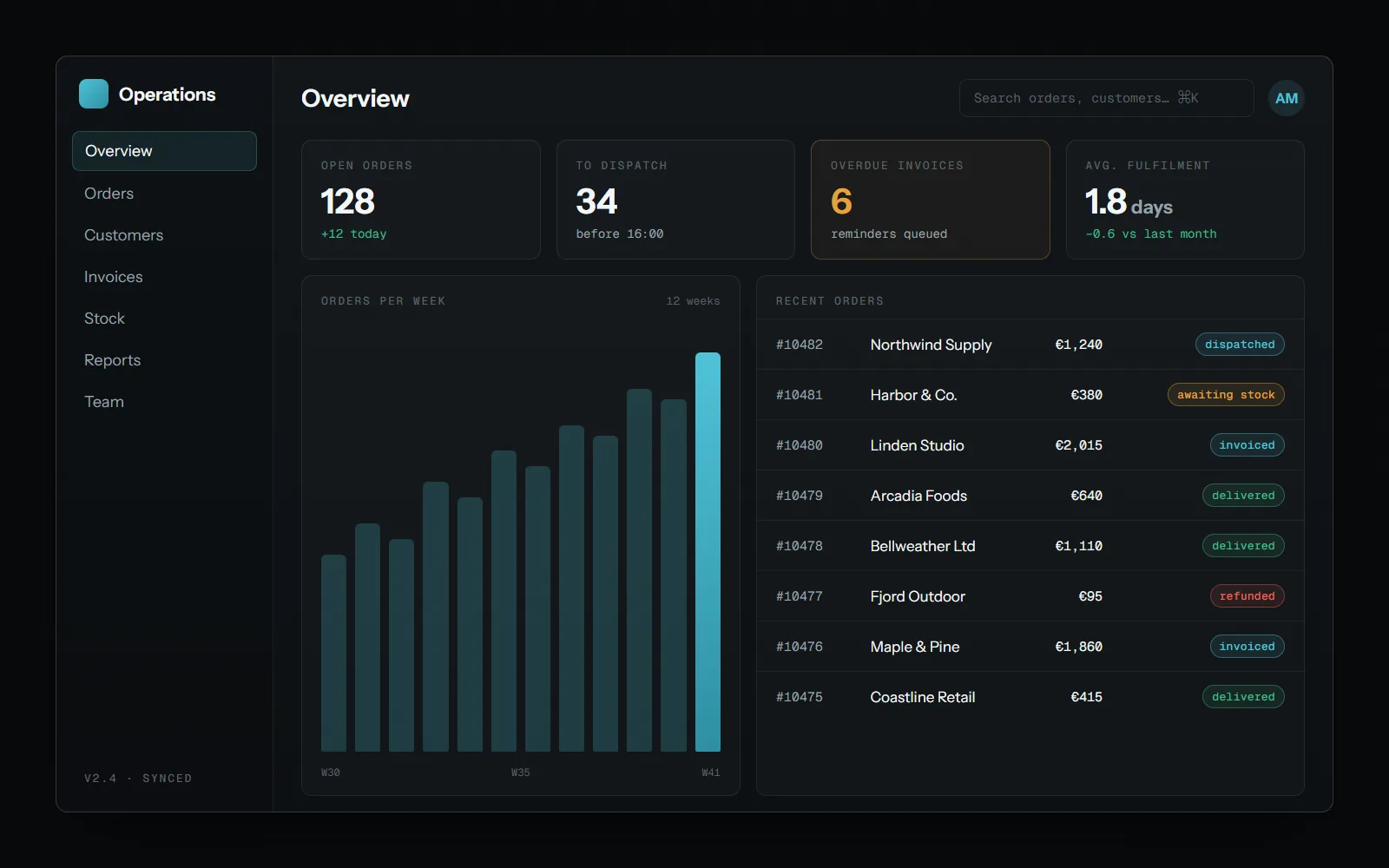
Most businesses run on a patchwork of spreadsheets, half-used software, and workarounds nobody remembers the reason for. I build the internal tools that replace that patchwork — dashboards, admin panels, and systems built around how your team actually operates.
What this looks like
Internal tools don't need to be flashy — they need to be reliable, fast, and built around the people who use them every day.
I design and build admin panels, dashboards, and internal systems that replace manual processes and give your team one place to actually get work done.
What I can help with
What I can help with
Admin Dashboards
The day's numbers and the actions that go with them, in one place.
Internal Tools & Panels
Forms, queues and back-office screens that replace spreadsheets and copy-paste.
Reporting & Analytics Views
Reports built from live data instead of a monthly export.
Role-Based Access & Permissions
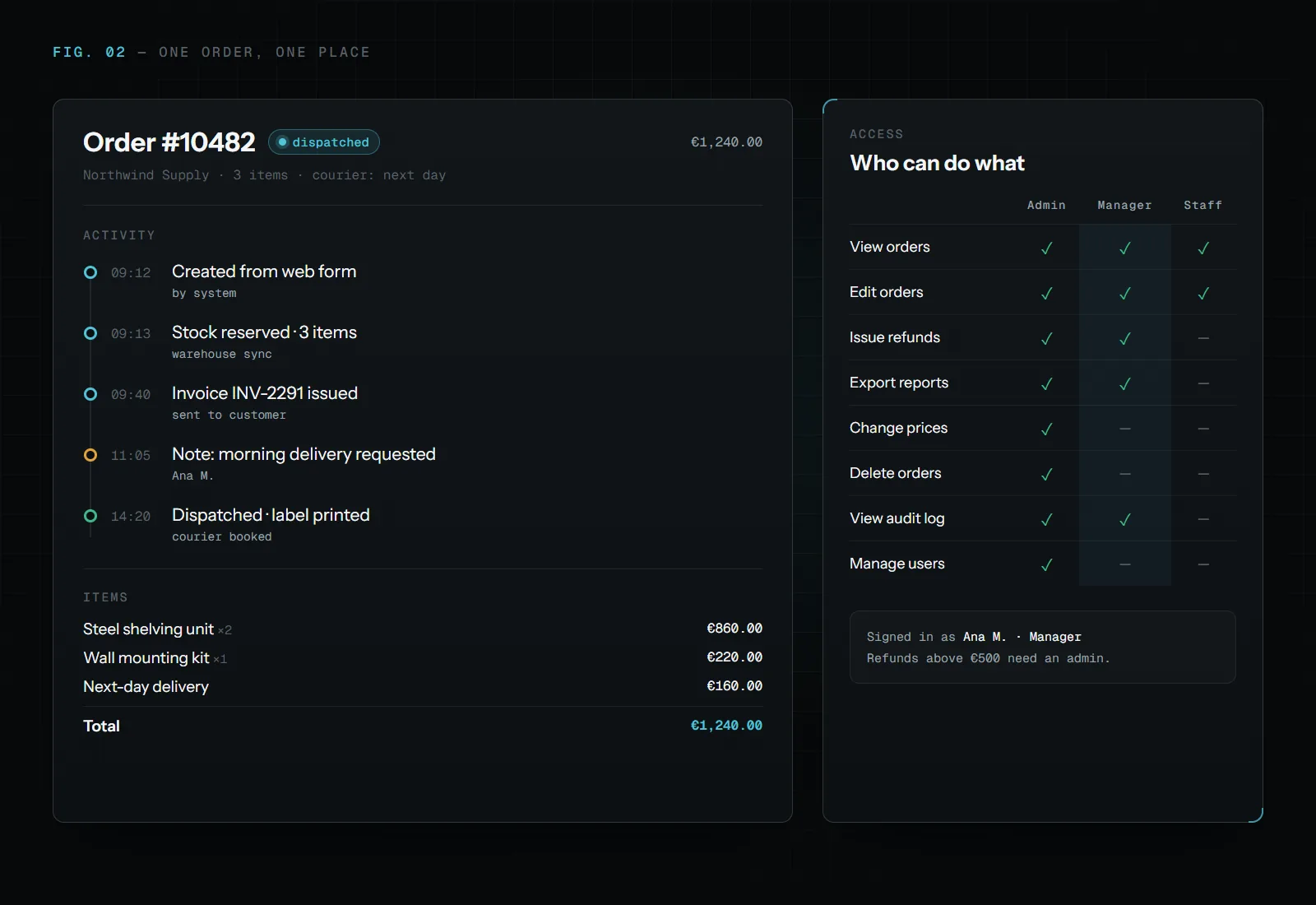
Everyone sees and changes only what their role allows, with a record of who did what.
Operational Workflow Systems
Orders, approvals or checks moving through clear steps, with nothing lost between people.
The best internal tool
is the one your team stops complaining about.
How I approach it
I don't build an internal tool nobody asked for.
First, I talk to the people who'll actually use it — what's slow, what's confusing, what's missing.
Then I build around their day, not around a generic template.
Example: identity document checks
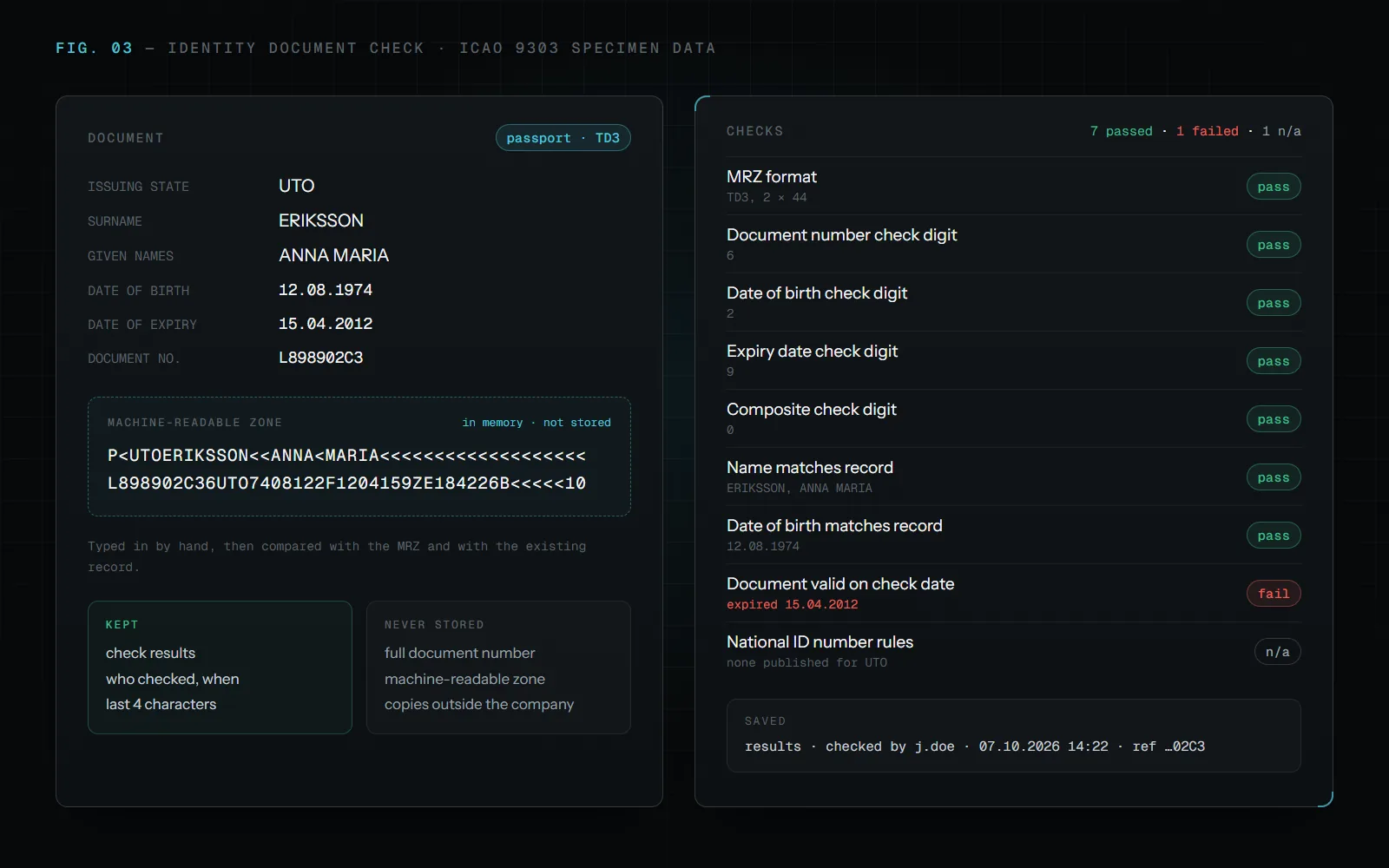
An internal tool that checks whether the details of a passport or ID card are consistent and valid. A team member types in the details, and the system checks the machine-readable zone (MRZ) and its check digits, confirms the name and date of birth match the existing record, and validates national ID numbers against official rules where they exist.
Sensitive data stays out of storage. The full document number and the MRZ are only used while the check runs and are never saved: the tool keeps the results, who ran the check and when, and at most the last four characters for reference. Nothing leaves the company's own systems, and only the team can sign in, with their company accounts.
Every check ends with a clear list of what passed and what failed, and a short summary ready to file.
Questions
Asked before every project like this.
Why replace spreadsheets with an internal tool?
Spreadsheets work until several people edit the same data, mistakes go unnoticed and nobody knows which version is right. An internal tool keeps one source of data, checks input as it is entered and records who changed what.
Can sensitive data stay inside our company?
Yes. An internal tool can run on your own infrastructure, sign people in with their company accounts and store only what it needs, as in the identity document example above.
Will my team need training?
Very little, because the tool is built around how they already work. I talk to the people who will use it before anything is built.
How much does an internal tool cost?
It depends on the problem and the scope. We agree on what's worth building and what it costs before any work starts, rather than fitting every project into a fixed package.

05 Start
Have a problem worth solving?
You don't need the solution figured out. Tell me what's taking too much time, what isn't working, or what you'd like to improve, and we'll find the right approach from there.
or write to stefan@guwapi.com